Jellyfin does not come with remote access. There is no relay, no account service, nothing that arranges a connection on your behalf. Coming from a product that did all of that silently, the first evening away from home is a surprise.
That absence is the design. Nothing about your server goes through anybody else, which is most of the point. It does mean the connection is yours to arrange, and this page is about choosing how, because the wrong choice is the one that gets servers compromised.
What you are actually deciding
Your server sits on your home network behind a router. Getting to it from outside means one of three things.
Let the internet in
Forward a port on your router so anyone who knows your address can reach Jellyfin’s sign-in page. Simple, and it makes your server a target that never sleeps.
Put a doorman in front
A reverse proxy handles encryption and the public side, and passes requests inward. Still public, but with a proper TLS certificate and a hardened front door.
Do not be on the internet at all
A VPN makes your phone a member of your home network wherever it is. Nothing is public, and there is nothing to find.

Start with the VPN
For almost everyone watching their own library on their own devices, a VPN is the right answer, and modern ones are nothing like the VPN you may be imagining.
Nothing is exposed. There is no public address, no login page for anyone to find, and no certificate to renew. Your phone joins your home network, Jellyfin sees a local connection, and everything behaves exactly as it does on your sofa.
Tailscale is the easiest of these by a distance. Install it on the server, install it on your phone, sign both into the same account, and it is done. Tailscale and Jellyfin, start to finish is the whole setup, and it is about ten minutes.
The trade is that everyone who wants access has to install the VPN too. For you, your partner and your family, that is a one-off. For sharing with fifteen friends it becomes a support burden.
Tip
Start here even if you think you will end up somewhere else. It takes ten minutes, it is free for personal use, and it gives you working remote access tonight while you think about whether you need anything more public.
The reverse proxy, when you genuinely need to be public
If you are sharing with people who will not install anything, you need a real public address, and then you need to do it properly.
A reverse proxy is a small web server, usually nginx or Caddy, that owns the public side. It holds the TLS certificate, terminates the encryption, and passes requests to Jellyfin on the inside. Jellyfin itself is never directly exposed.
What this gets you: a proper https:// address with a real certificate, so no
browser warnings and no traffic in the clear. One place to add rate limiting, to
block abusive addresses, and to keep access logs. Headers and timeouts you
control.
What it costs: a domain name, a certificate to keep renewed, and a server that is now genuinely reachable from the entire internet and will be probed continuously within hours.
If you go this way, the hardening is not optional:
- Strong, unique passwords on every account, especially the administrator
- Rate limiting at the proxy, so password guessing is slow
- Something watching the logs and blocking repeat offenders
- Updates applied promptly, on the proxy and on Jellyfin
Careful
A reverse proxy is a front door, not a lock. It gives you somewhere to put the lock. A proxy in front of a server with a weak administrator password is a slightly more presentable way to lose the server.
Port forwarding, and why it is the wrong answer
Forwarding port 8096 to your Jellyfin server puts its sign-in page on the public internet, unencrypted, with no protection in front of it.
Automated scanners find it within hours. That is not a worst case, it is the normal case: the whole address space is scanned constantly.
Without a proxy there is no TLS, so passwords travel in clear text across every network between your phone and your house. There is no rate limiting, so guessing is free and unlimited. And Jellyfin is a media server, not a hardened internet service. It was never designed to be the only thing between the internet and your home network.
The advice to “just forward 8096” is everywhere, it is easy, and it is how home servers get compromised. If you want to be public, use a proxy.
Note
UPnP, sometimes called automatic port mapping, is port forwarding with the router doing it for you. Same exposure, less visibility. Turn it off.
How to choose
Just your own household
A VPN. Tailscale. Ten minutes, free, nothing exposed.
Sharing with a few people who will cooperate
Still a VPN. Tailscale can invite individual people to reach one machine without joining your whole network.
Sharing with people who will not install anything
A reverse proxy with a domain and a certificate, and the hardening list above taken seriously.
A rented server with the media on it
Different problem, and the proxy lives on the same machine. Same rules.
Two settings to check either way
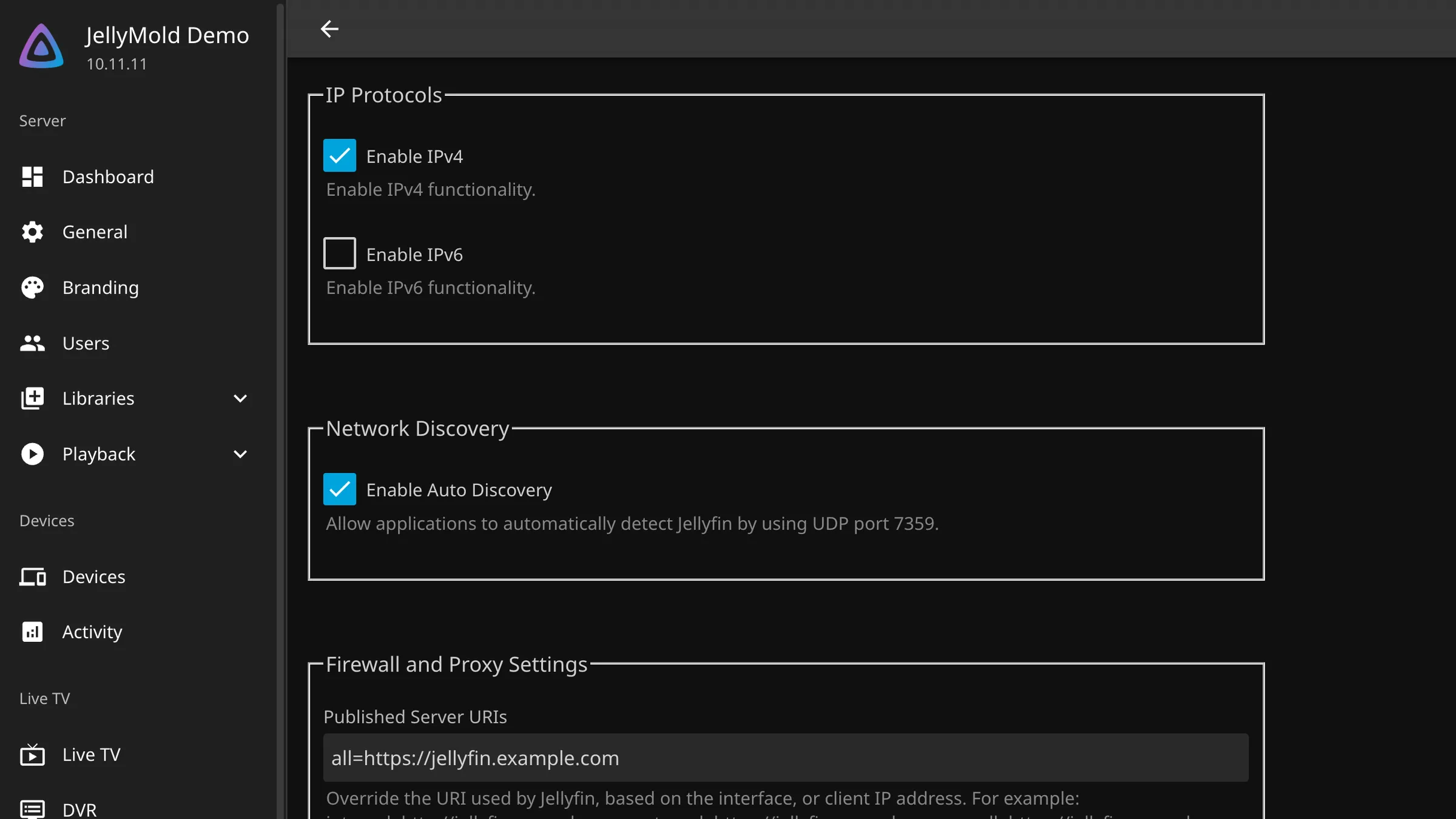
Under Dashboard, then Networking:
The published server URL should be the address clients will actually use from outside. Wrong, and Jellyfin hands out addresses that only work at home, which looks like an intermittent fault.
Known proxies has to list your reverse proxy, if you have one, or Jellyfin sees every request as coming from the proxy and rate limiting and logging become useless.