
Some of your files have subtitles built in. Plenty do not, and a foreign-language film without them is unwatchable. OpenSubtitles is the largest subtitle archive there is, and Jellyfin has an official plugin for it, so a missing subtitle track can become a solved problem rather than a manual search.
There are two catches nobody warns you about: the account you need is on the newer of their two websites, and the free tier has a daily download limit. Both are covered below.
Create the account first
Jellyfin will ask for credentials during setup, so get them before you start.
- Sign up at opensubtitles.com. Note the
.com. - Confirm the email.
- Find the API or consumer section of your account settings and generate a key. Keep it somewhere you can paste from.
Careful
opensubtitles.org and opensubtitles.com are the same project and different
systems. An account on the old site will not sign you in to the new API, and the
error you get says your password is wrong rather than saying you are on the
wrong site. If it rejects a password you are certain of, this is why.
Install the plugin
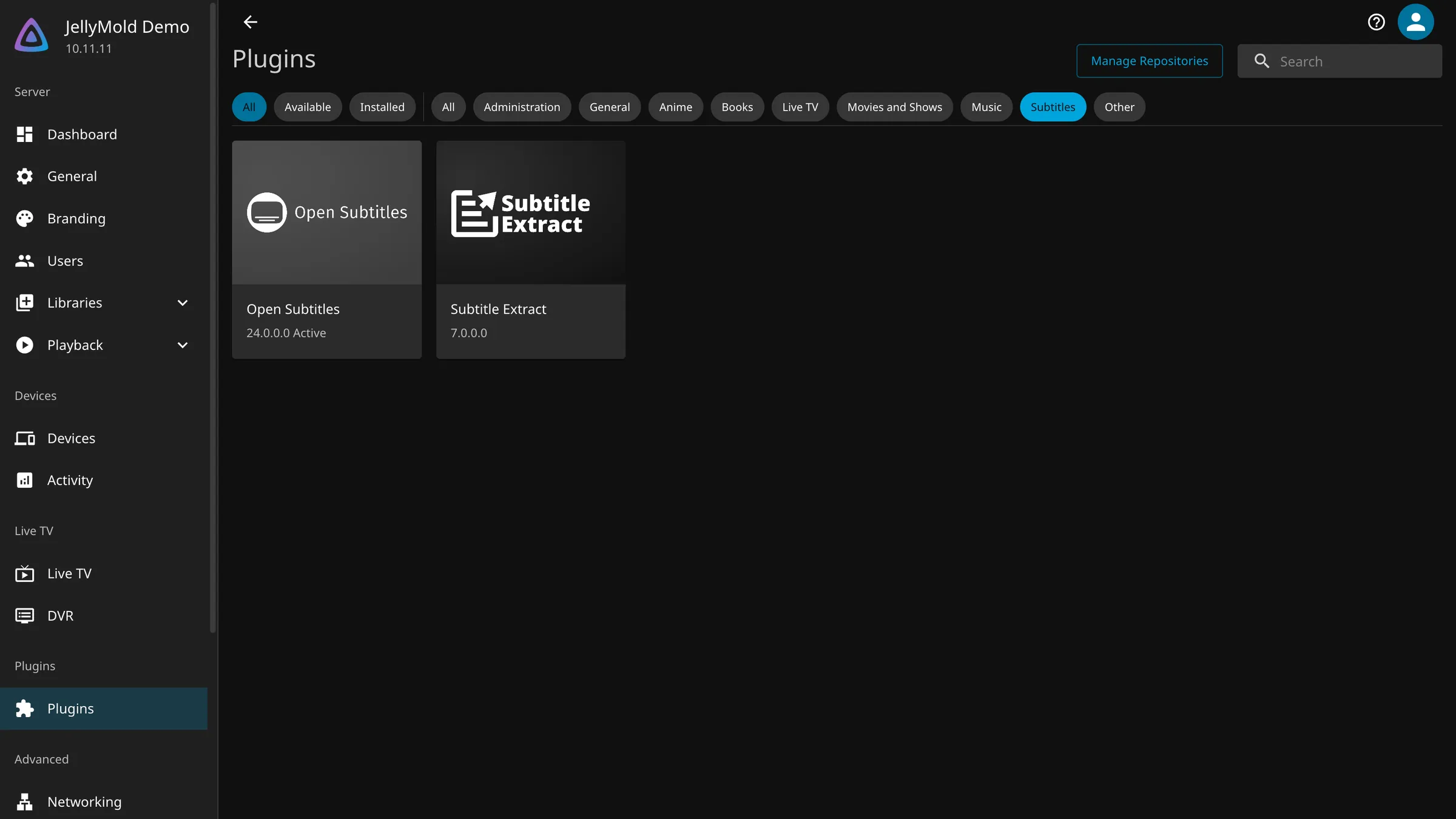
- Open Dashboard, then Plugins, then Catalogue.
- Find OpenSubtitles under the subtitle plugins.
- Install it.
- Restart Jellyfin when it asks. It will not work until you do.
Give it your credentials
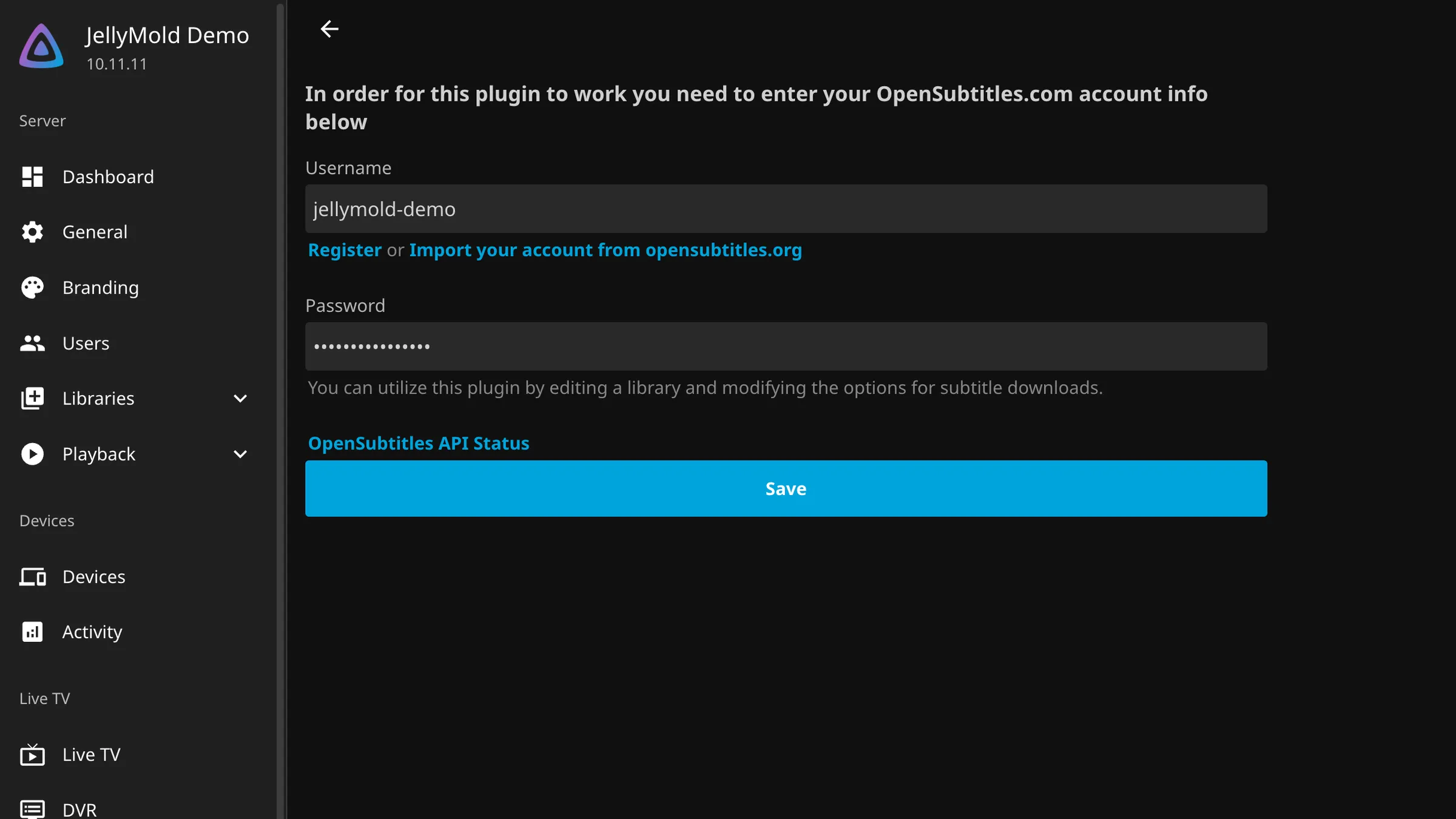
After the restart, go to Dashboard, then Plugins, then My Plugins, and open OpenSubtitles.
Enter your username, your password and the API key, then save. The plugin will tell you whether it could authenticate, and a failure here is almost always the wrong site rather than the wrong password.
Tell each library what to fetch
The plugin can fetch. Whether it does, and in which languages, is a library setting, which is the part people miss.
- Dashboard, then Libraries.
- The three dots on a library, then Manage Library.
- Find the subtitle section.
- Tick the subtitle downloaders you want to use, including OpenSubtitles.
- Choose your subtitle languages, in order of preference.
- Save, and repeat for each library.
Two options in that section are worth understanding.
Only download subtitles that are a perfect match, sometimes worded as requiring a matching hash, compares your exact file against the archive. On it, you get fewer subtitles and the ones you get are in sync. Off, you get more and some of them drift. Leave it on to begin with, and turn it off for the one film you cannot find anything for.
Hearing-impaired subtitles include sound descriptions. Whether you want them is personal, and you can ask for them as a preference rather than a requirement.
Tip
Ask for subtitles in a language you actually read, and one other at most. Every extra language multiplies the number of requests the server makes, and the daily limit is counted in requests.
The daily limit
This is the part that surprises people a week later.
A free OpenSubtitles account can download a limited number of subtitles a day, currently in the low tens. A first pass over a large library will hit that limit within minutes, and the log will fill with rejections that look like a broken setup.
It is not broken. Options, in order of sense:
Wait. The allowance resets daily, and a library catches up over a few days on its own.
Be pickier. Fewer languages and a perfect-match requirement mean fewer requests per film.
Pay for it. OpenSubtitles sells a VIP tier that raises the limit considerably. If you have thousands of files it is worth more than an evening of your time.
Careful
Do not try to get around the limit with a second account or a different address. They rate limit by account and by address, and the result is a ban rather than more subtitles.
Fetch subtitles for what you already have
New files get subtitles as they are scanned. For an existing library, Dashboard, then Scheduled Tasks, and run the missing subtitles task.
Given the daily limit, expect this to take several days on a large library. It resumes rather than restarting, so there is nothing to manage.
Ask for one film by hand
Automatic fetching misses things, especially older or more obscure titles.
Open the film in the web interface, go to its edit screen and use the subtitle search. You get a list of candidates with their upload dates and download counts, and you can pick one yourself. A subtitle with tens of thousands of downloads is usually the one that is in sync.
How this looks in an app
A downloaded subtitle is saved next to the video as a separate file, which is the best possible outcome for playback. A player can render it as text, at whatever size you like, without the server touching the video.
The alternative, which happens when subtitles are burned into the picture, means the server decodes and re-encodes the whole film to draw the words on. That costs quality, it costs processor time, and on a phone it means your server is working hard so that you can read.
Note
JellyMold renders external subtitles natively and lets you set the size, so switching them on never triggers a transcode. The setup above is what makes that possible.